> For the complete documentation index, see [llms.txt](https://docs.omnichat.ai/llms.txt). Markdown versions of documentation pages are available by appending `.md` to page URLs; this page is available as [Markdown](https://docs.omnichat.ai/release-note/dec-10-2025.md).
# Dec 10, 2025
## 渠道聯絡人管理升級:支援批次變更訂閱狀態、批次刪除聯絡人
管理大量聯絡人更有效率了!
現在你可以在**渠道聯絡人**中,一次完成訂閱狀態調整、聯絡人刪除,大幅減少重複操作時間。
### 批次變更訂閱狀態
* 可將選取的聯絡人 **一次設為「訂閱中」或「取消訂閱」**
* 支援全選操作,實際更新名單會以**執行當下的最新結果**為準
* 若有設定 Omnichat Webhook,變更時會同步發送
* `customer/channel_subscribe`
* `customer/channel_unsubscribe`
* 批次處理期間仍可同時進行「刪除聯絡人」或「匯出」
{% hint style="info" %}
重新訂閱時,系統不會再檢查顧客是否曾封鎖,仍會訂閱成功。
{% endhint %}
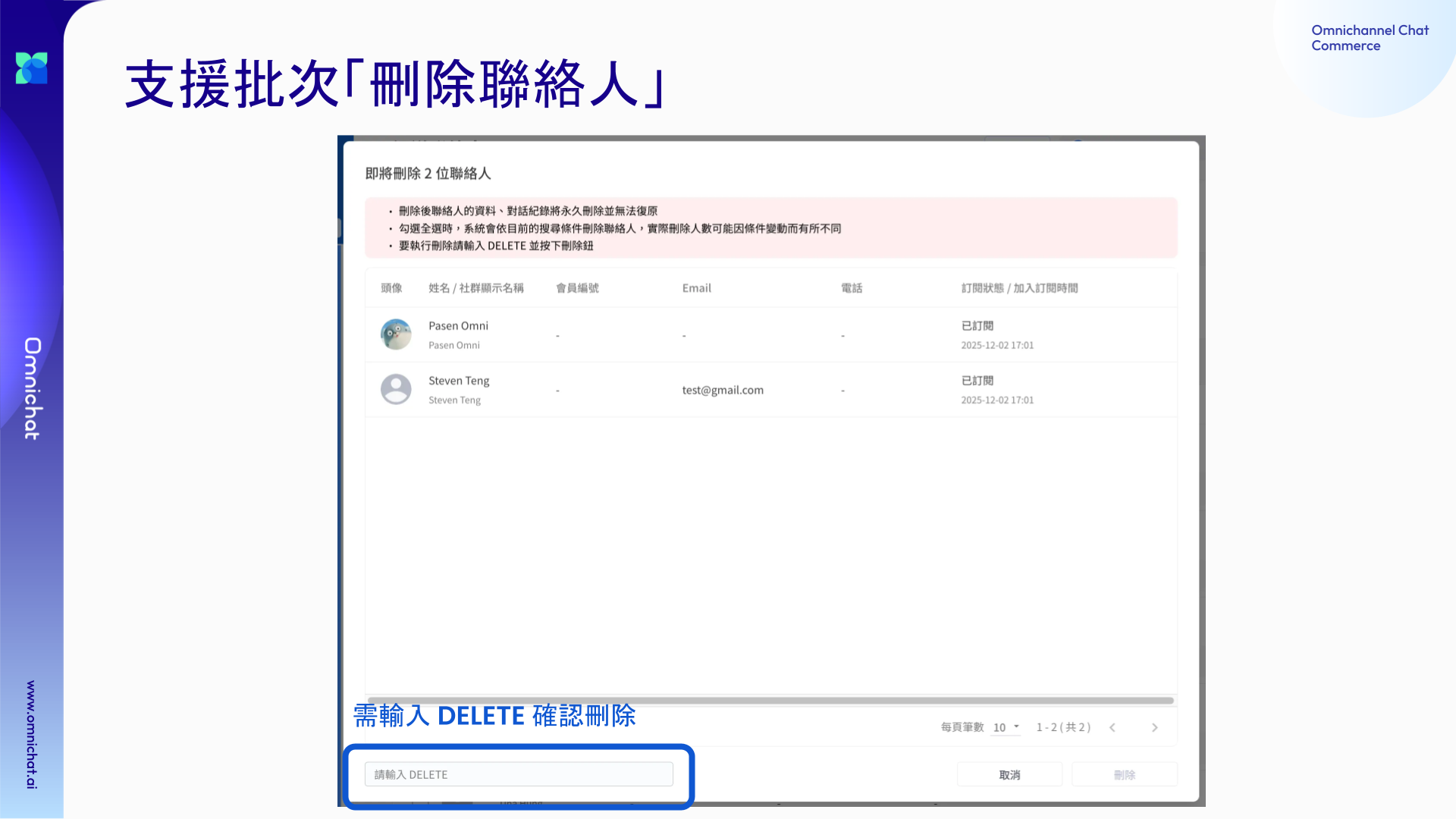
 ### 批次刪除聯絡人(管理員限定)
* 可一次刪除多筆已選取的聯絡人
* 僅限 **管理員** 操作,並需輸入 **DELETE(全大寫)** 確認
* 刪除後將:
* 移除渠道聯絡人資料
* 同步刪除相關對話紀錄
{% hint style="info" %}
刪除為永久行為,無法復原,請執行前再次確認。
{% endhint %}
### 批次刪除聯絡人(管理員限定)
* 可一次刪除多筆已選取的聯絡人
* 僅限 **管理員** 操作,並需輸入 **DELETE(全大寫)** 確認
* 刪除後將:
* 移除渠道聯絡人資料
* 同步刪除相關對話紀錄
{% hint style="info" %}
刪除為永久行為,無法復原,請執行前再次確認。
{% endhint %}