> For the complete documentation index, see [llms.txt](https://docs.omnichat.ai/llms.txt). Markdown versions of documentation pages are available by appending `.md` to page URLs; this page is available as [Markdown](https://docs.omnichat.ai/features/tong-xun-qu-dao/integrations/wechat-zheng-he-dao-omnichat/wechat-annualverification.md).
# WeChat 年度審核確認方式
若您有串接 WeChat 並需要發送訊息的需求,在串接前需要完成的必要條件為通過年審,請在 WeChat 後台申請審核。
{% hint style="info" %}
年審的審核狀況會需要經由 WeChat 官方審核,因此會建議在串接 WeChat 前可先完成年審的認證,處理工作天術、審核流程將依照 WeChat 官方處理進度為主。若審核失敗,會建議需要查看 WeChat 官方提供的詳細資訊來調整送審資料。
{% endhint %}
關於 WeChat 年審,請到 WeChat 後台申請,並在以下位置查看申請審核的狀況:
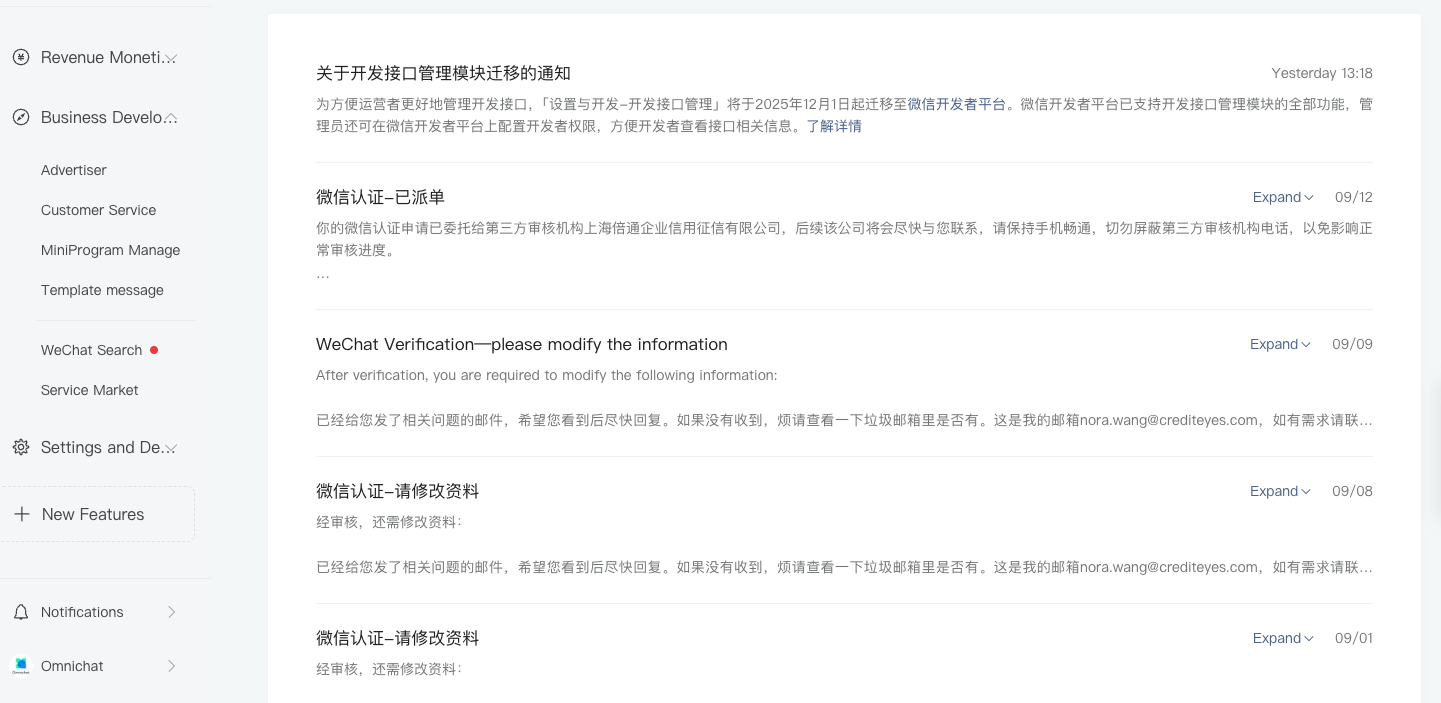
1. 請在**微信認證的通知**的位置查看審核狀況
 2. 在 Wechat Verification 內查看是否審核成功
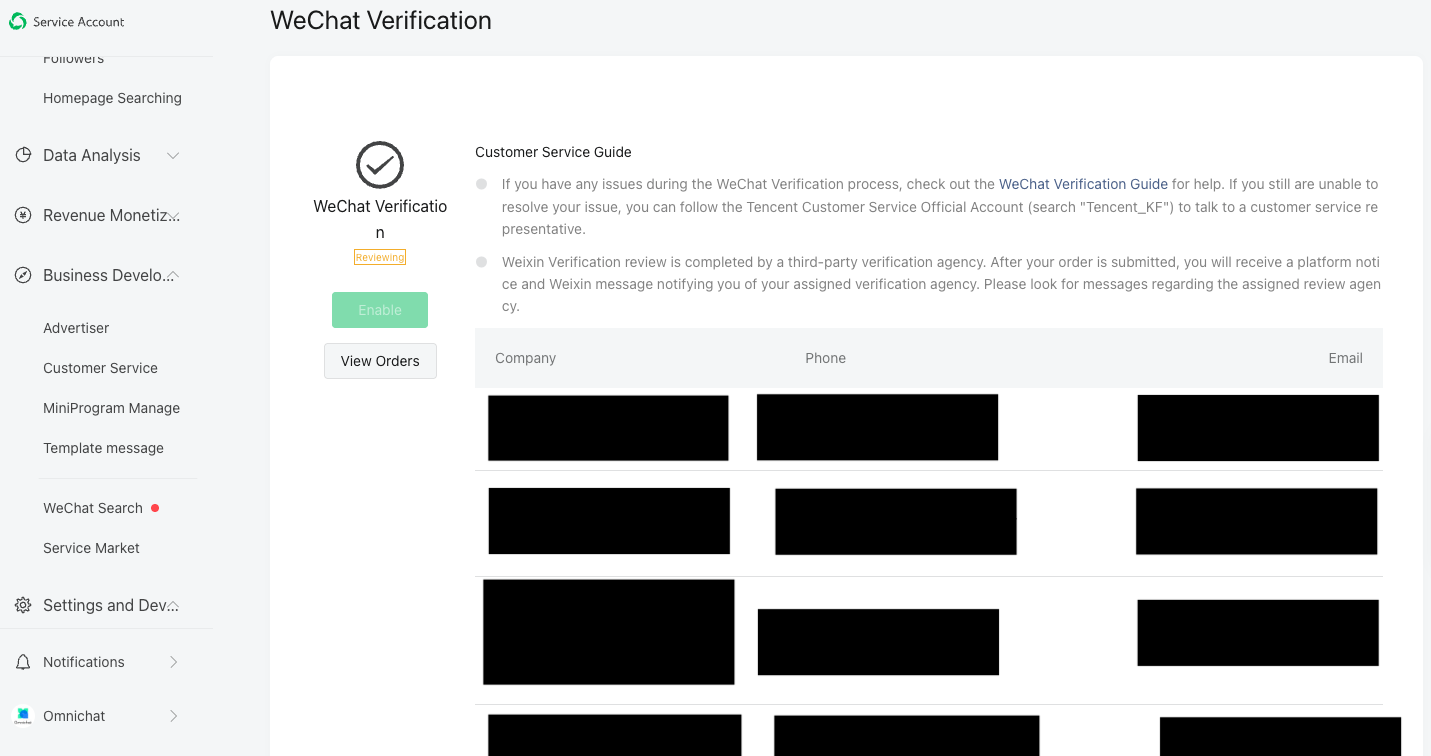 審核成功後,才可以整合 WeChat 與 Omnichat 的對話,並從 Omnichat 對話中發送訊息給顧客。