> For the complete documentation index, see [llms.txt](https://docs.omnichat.ai/llms.txt). Markdown versions of documentation pages are available by appending `.md` to page URLs; this page is available as [Markdown](https://docs.omnichat.ai/features/she-qun-ke-hu-zi-liao-ping-tai/shou-zhong-fen-qun-jia-gou-xiang-mu/chuan-jie-line-guang-gao-zhang-hao.md).

# 串接 LINE 廣告帳號

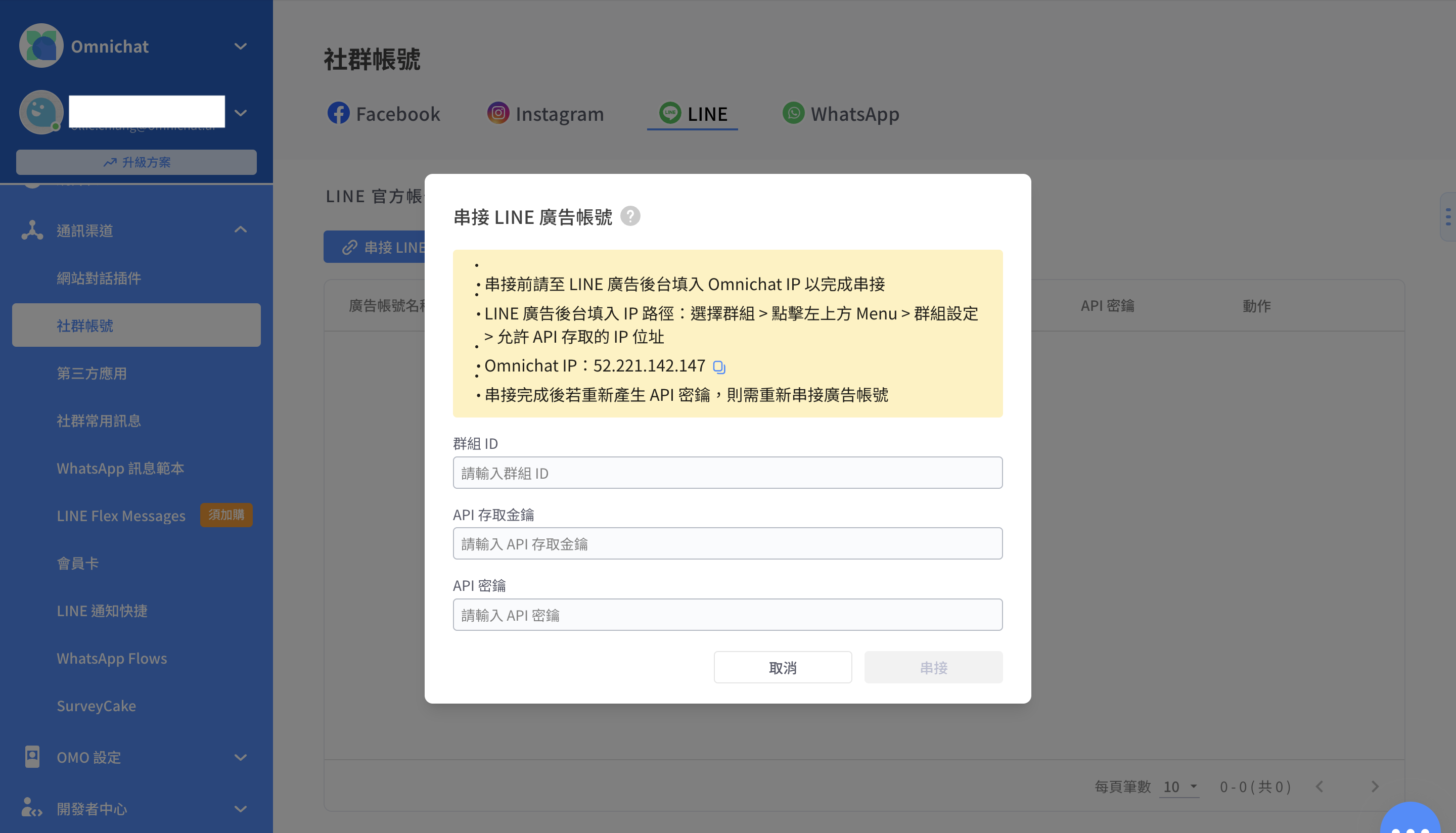
### 串接 LINE 廣告帳號路徑：

Omnichat 系統後台**通訊渠道 > 社群帳號 > LINE > LINE 廣告帳號**

串接時需要填寫以下資訊：

1. 群組 ID
2. API 存取金鑰
3. API 密鑰

<figure><img src="/files/HX0iYwTaDDsNbsyirrcM" alt=""><figcaption></figcaption></figure>

### 取得群組 ID 的方法

1. 登入 [**LINE 廣告帳號平台**](https://admanager.line.biz/home/)
2. 點選"廣告群組"
3. 紅框位置為群組 ID

<figure><img src="/files/7HH12WwkWF13vRmJpI6h" alt=""><figcaption></figcaption></figure>

### 取得API 存取金鑰與API 密鑰方法

1. 登入 [**LINE 廣告帳號平台**](https://admanager.line.biz/home/)
2. 於"設定" 點選 "群組設定"

<figure><img src="/files/uUSqYByTa7KfqJ0v5J2M" alt=""><figcaption></figcaption></figure>

<figure><img src="/files/NayxwiJ2GZYcmEGBo11C" alt=""><figcaption></figcaption></figure>

{% hint style="warning" %}
串接完成後若於 LINE 廣告後台重新產生密鑰，將會使串接失效，須重新串接
{% endhint %}

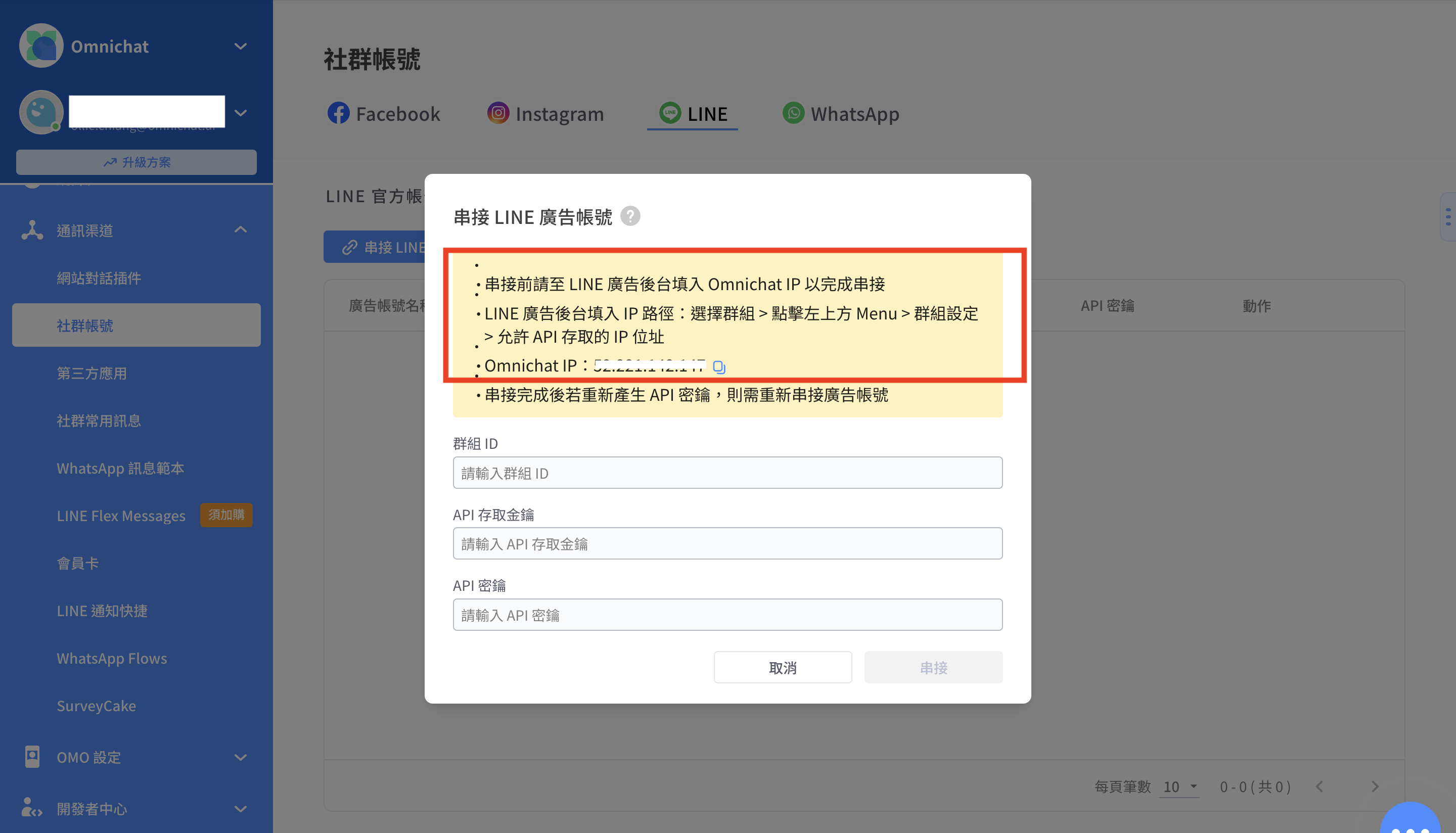
3. 回到 Omnichat 後台取得 Omnichat IP 後貼在"允許 API 存取的 IP 位址" 的欄位。

<figure><img src="/files/yuXocXkkKDW3US2LfmW7" alt=""><figcaption></figcaption></figure>

4. 關於取得 Omnichat IP 的路徑： 通訊渠道＞社群帳號 > LINE > LINE 廣告帳號

<figure><img src="/files/ISnrQnxJLlFiUMbmajdS" alt=""><figcaption></figcaption></figure>

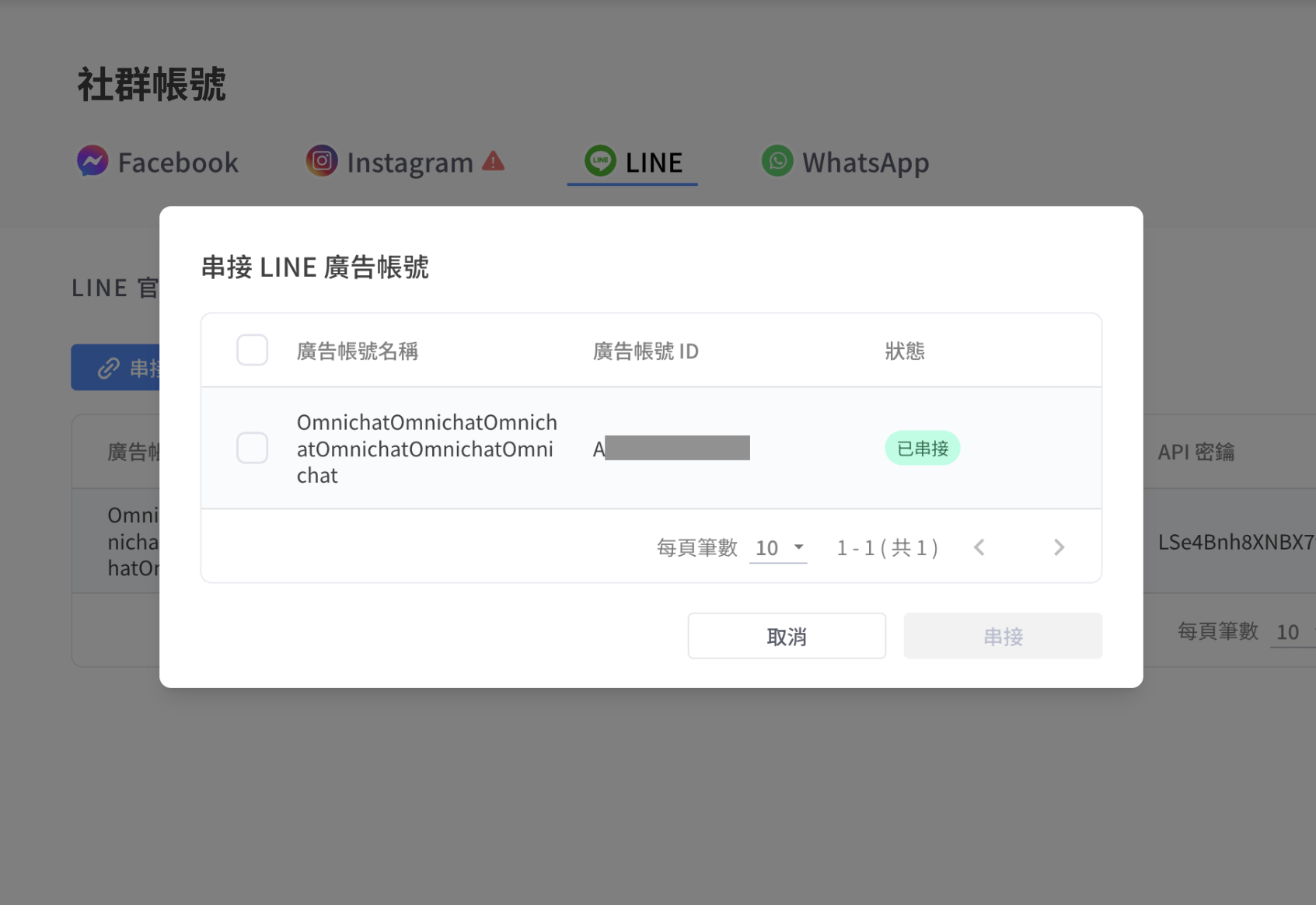
5. 資料填寫後勾選要串接的 LINE 帳號
6. 串接完成

<figure><img src="/files/CTKQ1qOK2IAxCFCdRpQZ" alt=""><figcaption></figcaption></figure>


---

# Agent Instructions
This documentation is published with GitBook. GitBook is the documentation platform designed so that both humans and AI agents can read, navigate, and reason over technical content effectively. Learn more at gitbook.com.

## Querying This Documentation
If you need additional information that is not directly available in this page, you can query the documentation dynamically by asking a question.

Perform an HTTP GET request on the current page URL with the `ask` query parameter, and the optional `goal` query parameter:

```
GET https://docs.omnichat.ai/features/she-qun-ke-hu-zi-liao-ping-tai/shou-zhong-fen-qun-jia-gou-xiang-mu/chuan-jie-line-guang-gao-zhang-hao.md?ask=<question>&goal=<endgoal>
```

`ask` is the immediate question: it should be specific, self-contained, and written in natural language.
`goal` is optional and describes the broader end goal you are ultimately trying to accomplish on behalf of the user. GitBook uses it to tailor the answer towards what is most useful for that goal.

The response will contain a direct answer to the question and relevant excerpts and sources from the documentation.

Use this mechanism when the answer is not explicitly present in the current page, you need clarification or additional context, or you want to retrieve related documentation sections.