> For the complete documentation index, see [llms.txt](https://docs.omnichat.ai/llms.txt). Markdown versions of documentation pages are available by appending `.md` to page URLs; this page is available as [Markdown](https://docs.omnichat.ai/features/she-qun-bang-ding-guan-li/omnilink-jia-gou-gong-neng/omnilink-she-ding-fang-shi.md).
# OmniLink 設定方式
跨社群一鍵整合功能,提供 「跨社群渠道跳轉、綁定、觸發訊息同步完成」,達到跨渠道身份整合(不同渠道顧客收攏在一個檔案)的目標。
功能權限:管理員、主管、行銷人員、行銷客服
### 步驟 1 -新增活動
 ### **步驟 2 -設定整合渠道**
用戶點擊 OmniLink 時,會從 「 來源渠道 」 跳轉到 「 目標渠道 」 。
{% hint style="info" %}
目標渠道:如為LINE渠道
* 前置作業:LINE 渠道須先 [**完成 Liff 設定**](https://docs.omnichat.ai/features/tong-xun-qu-dao/integrations/line-2.0/she-ding-liff-id-xian-she-ding-login-channel)
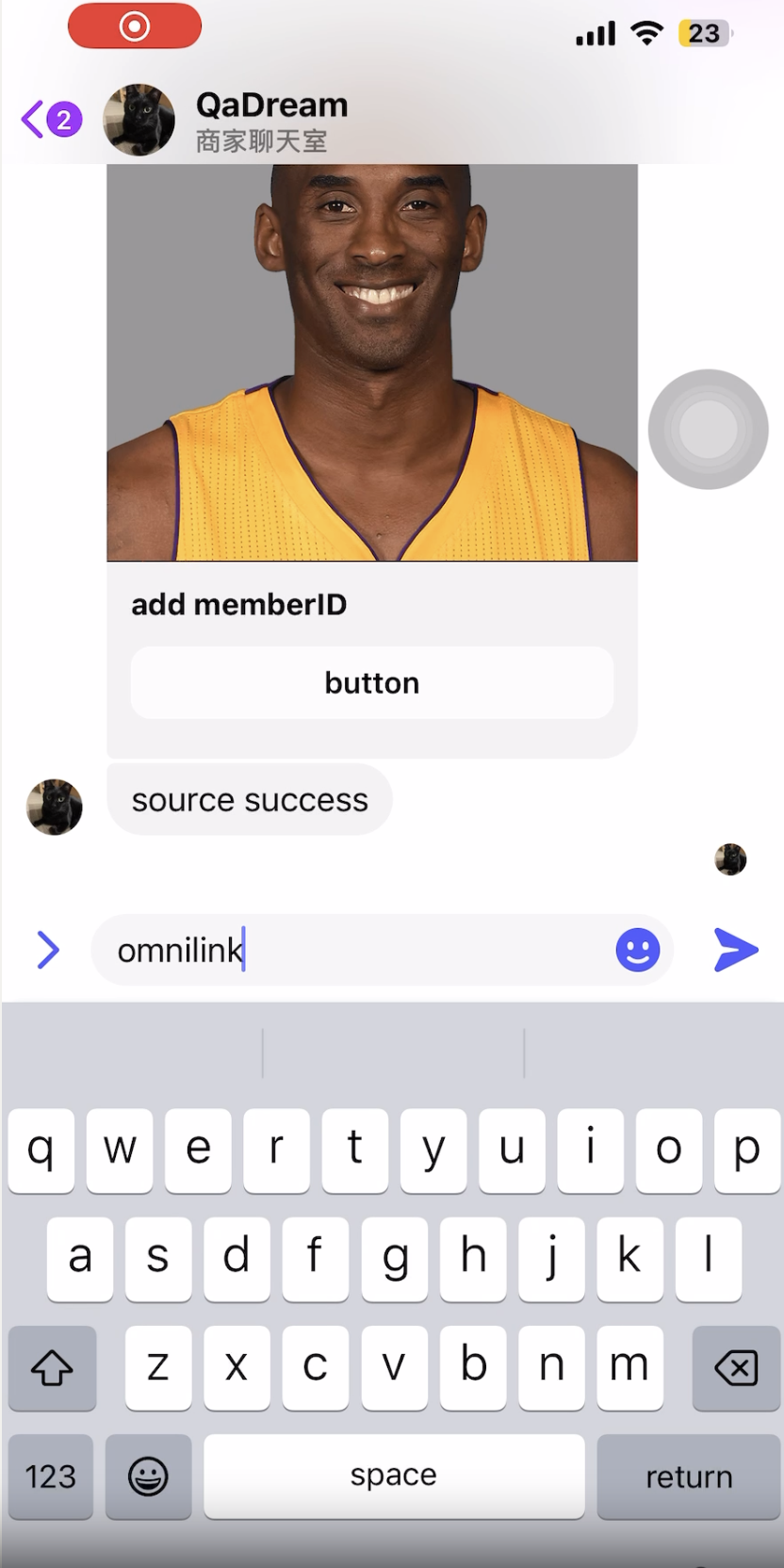
* 整合方式:客戶點擊跨社群卡片後,透過 Liff 自動完成整合、觸發成功或失敗訊息
{% endhint %}
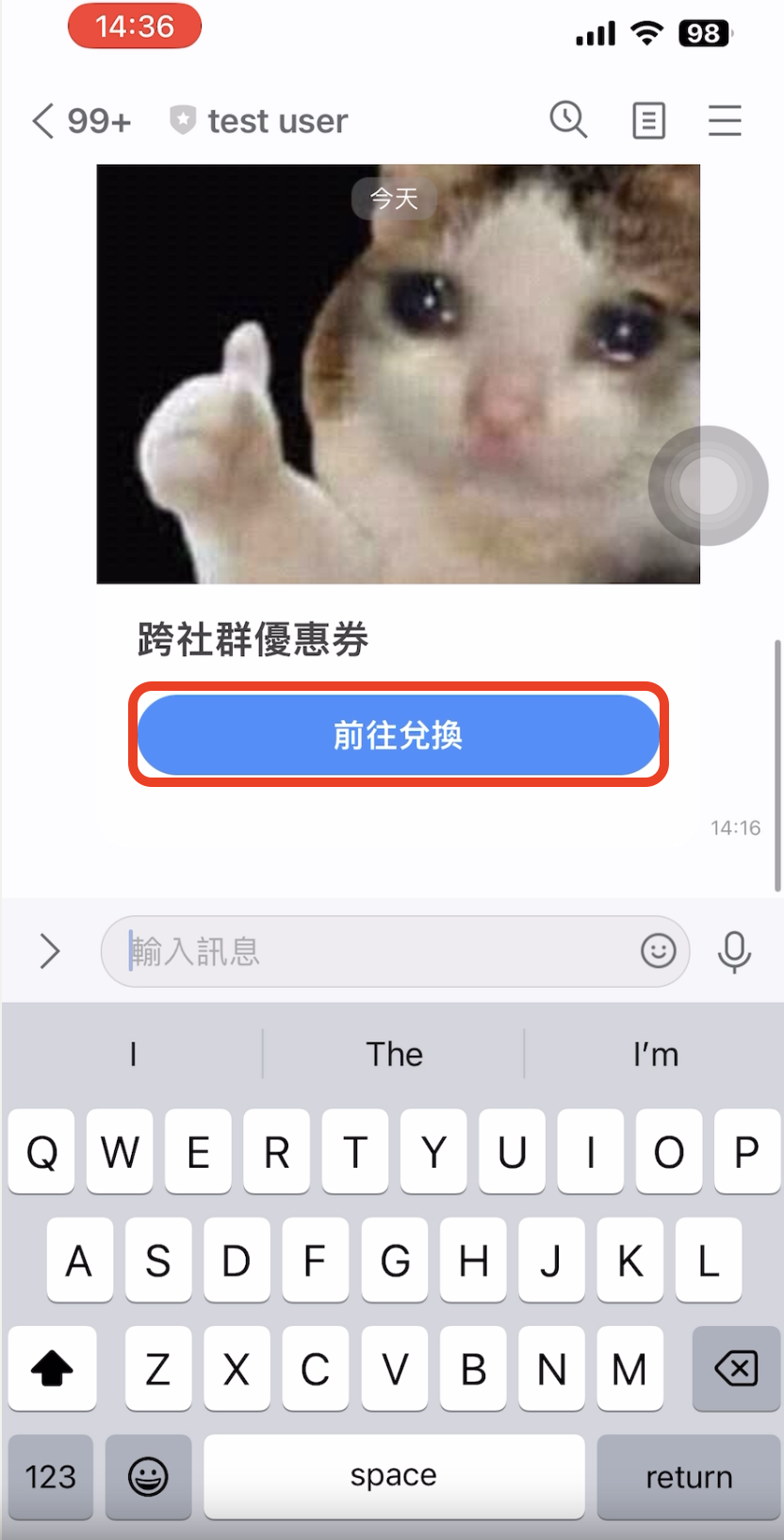
**來源渠道**:支援 Facebook / LINE / WhatsApp / Instagram
### **步驟 2 -設定整合渠道**
用戶點擊 OmniLink 時,會從 「 來源渠道 」 跳轉到 「 目標渠道 」 。
{% hint style="info" %}
目標渠道:如為LINE渠道
* 前置作業:LINE 渠道須先 [**完成 Liff 設定**](https://docs.omnichat.ai/features/tong-xun-qu-dao/integrations/line-2.0/she-ding-liff-id-xian-she-ding-login-channel)
* 整合方式:客戶點擊跨社群卡片後,透過 Liff 自動完成整合、觸發成功或失敗訊息
{% endhint %}
**來源渠道**:支援 Facebook / LINE / WhatsApp / Instagram
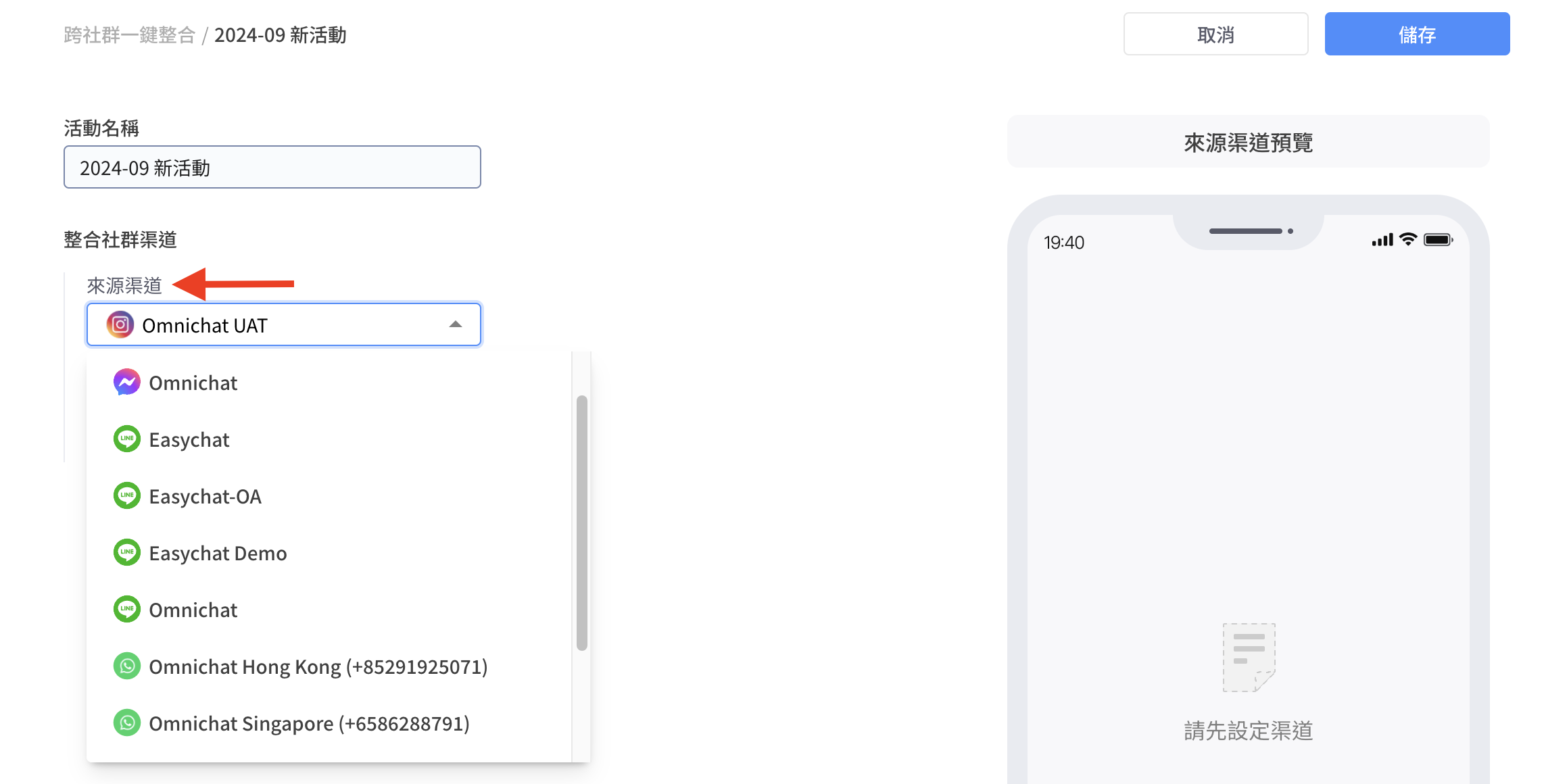 **2. 目標渠道**:支援 LINE / WhatsApp(FB / IG 因官方平台限制,暫時無法支援,若未來有調整會再另行更新)
 3. **設定整合卡片內容**
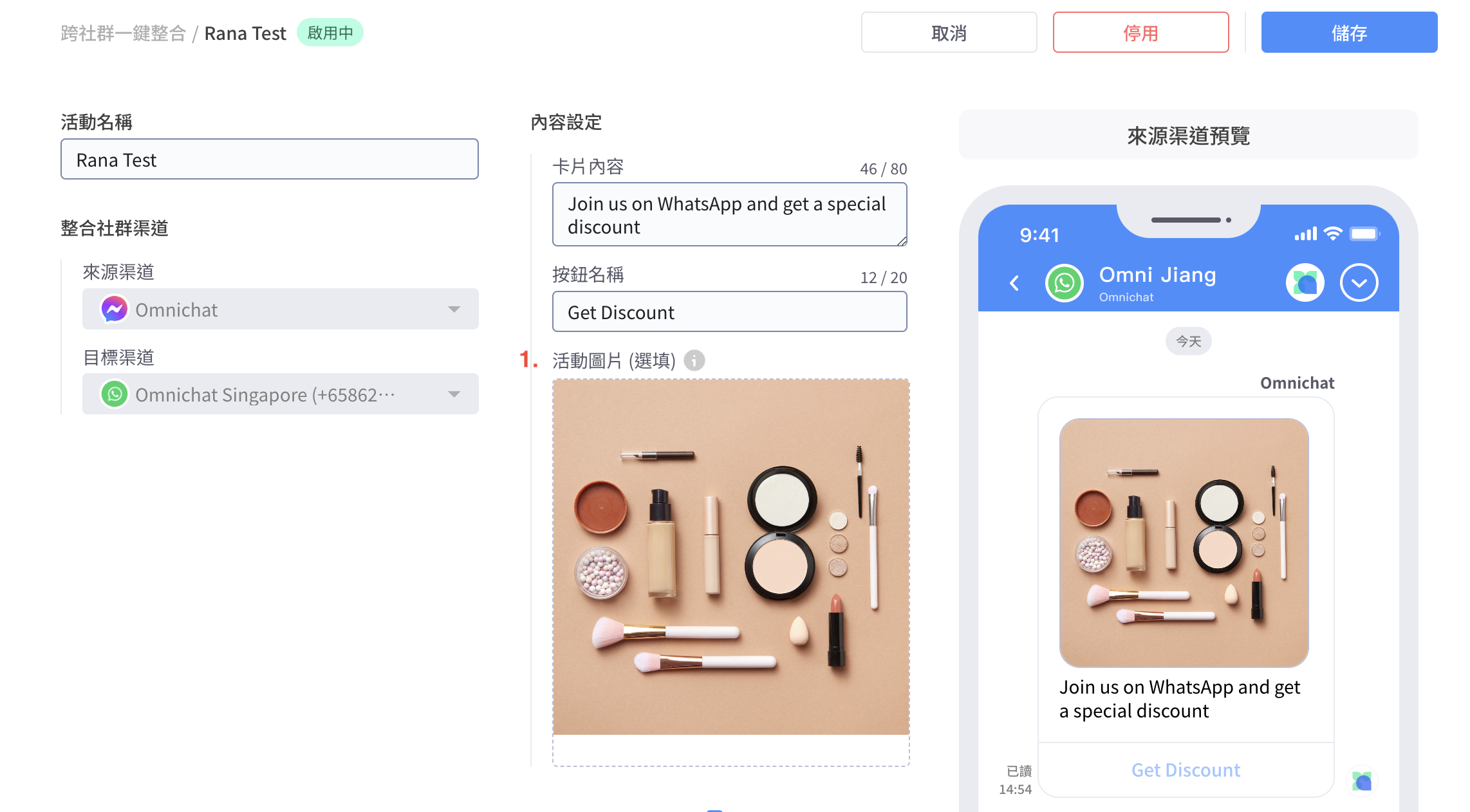
 1. **活動圖片(選填):**
1. **圖片上傳建議:**
1. 寬度尺寸660px以上
2. 大小低於5MB
3. 來源渠道為Line時,活動圖片高度不可超過寬度的三倍
2. **各平台顯示比例如下:**
1. LINE、WhatsApp:依圖片原始比例顯示
2. FB、IG:因平台限制,長寬比例建議為 1:1,不符合比例的圖片將被置中裁切
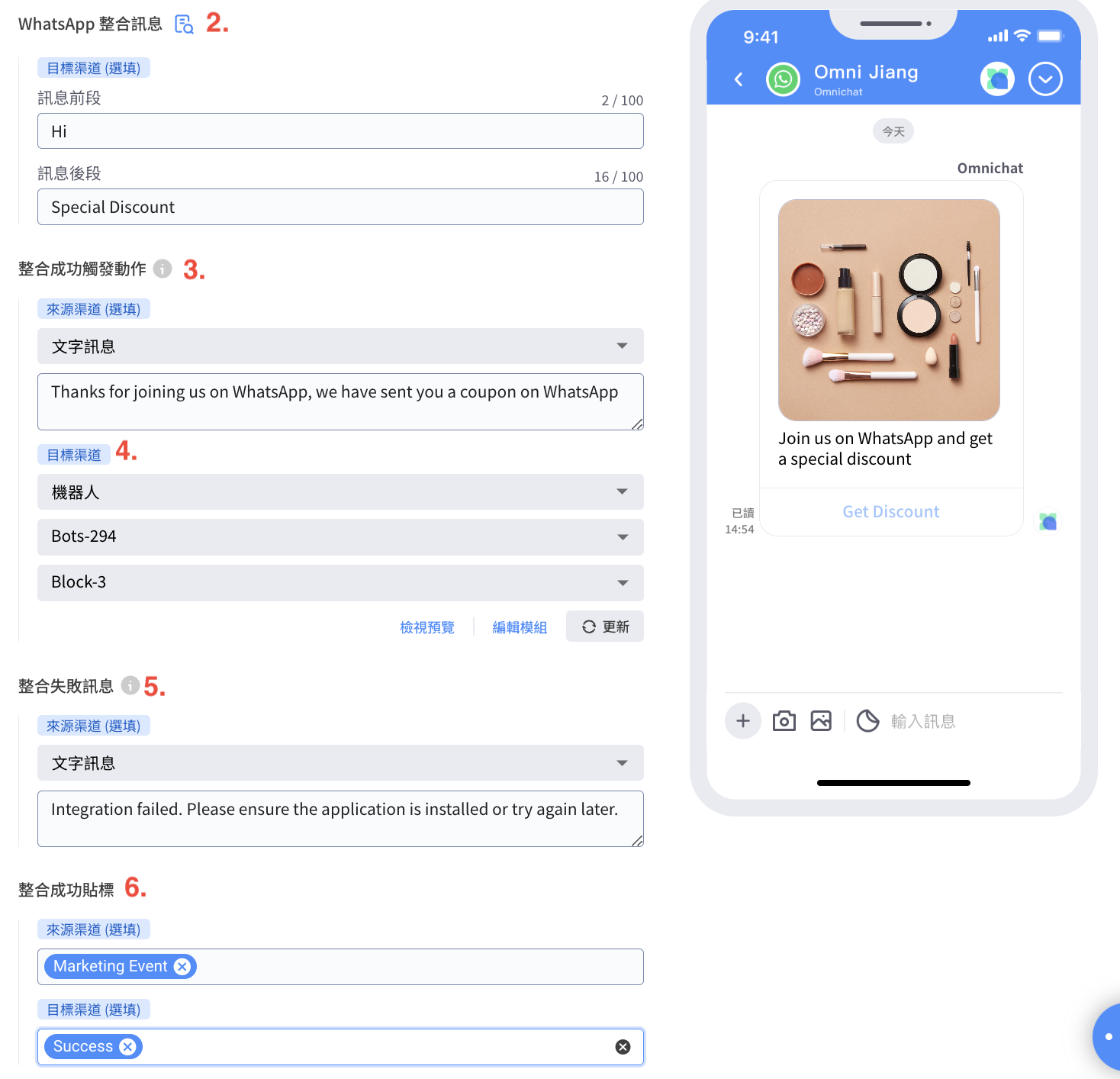
2. **WhatsApp整合訊息(選填)**:此屬於WhatsApp目標渠道之專屬項目,其他渠道無此項。
3. **整合成功觸發動作:**
1. **來源渠道發(選填)**
1. 文字訊息
2. 機器人模組:僅能選擇與來源渠道平台相符的機器人(支援 「檢視預覽」、「編輯模組」)
2. **目標渠道(必填)**
1. 文字訊息
2. 機器人模組:僅能選擇與來源渠道平台相符的機器人(支援 「檢視預覽」、「編輯模組」)
4. **整合失敗訊息**
1. **來源渠道(選填)**
1. 文字訊息
2. 機器人模組:僅能選擇與來源渠道平台相符的機器人
2. **整合失敗可能原因:**
1. 渠道權限失效、渠道解串
2. 系統未預期錯誤
3. 整合活動被停用
4. 無法找到來源或目標渠道聯絡人
5. 欲整合的目標與來源渠道聯絡人為不同會員編號
6. LINE、Meta、WhatsApp API 回傳錯誤時
{% hint style="info" %}
注意:由於Facebook 24小時政策,訊息只能發送給24小時內有互動的客戶。
{% endhint %}
5. 整合成功貼標
1. **來源渠道(選填)**
2. **目標渠道(選填)**
{% hint style="info" %}
貼標後連動影響:觸發旅程、LINE 圖文選單切換
{% endhint %}
### 步驟 3 搭配機器人卡片使用活動設定:
若您需要將 OmniLink 活動搭配機器人卡片進行時,請在完成前面 2 個步驟後,再到自助設計機器人頁面,完成您的卡片設定!相關的設定說明細節,請參考以下頁面
{% content-ref url="/pages/g9FCRtmKMhy1Zyb9X3sA" %}
[OmniLink 卡片(加購功能)](/features/marketing/new-chatbot/omnilink-botcard.md)
{% endcontent-ref %}
### 補充說明、整合渠道特殊狀況
1. **若客戶於封鎖 LINE 狀態下點擊按鈕至 LINE 時**:
* 僅會顯示加入好友畫面
* 點擊加入好友後不會發送任何訊息、不會完成身份整合
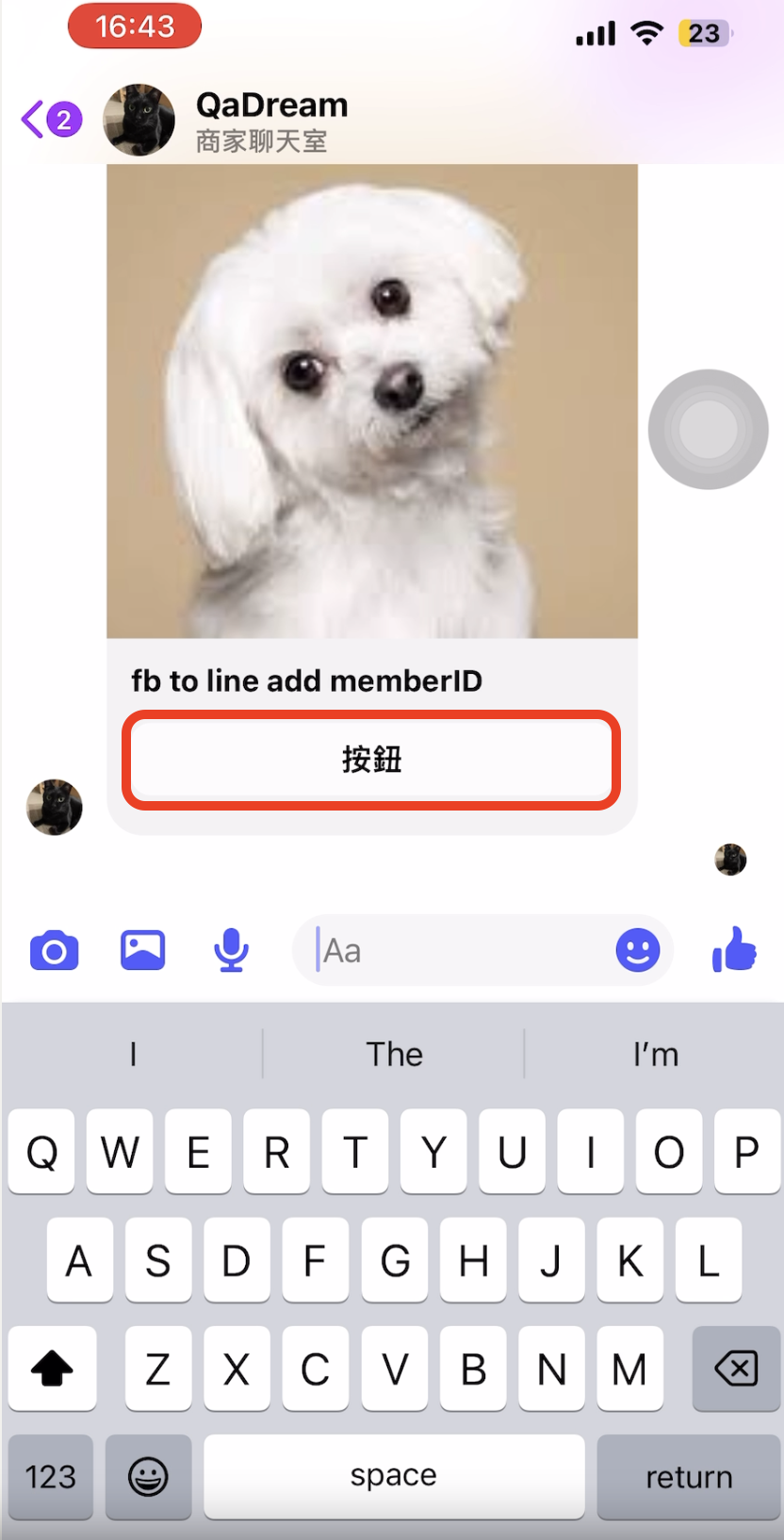
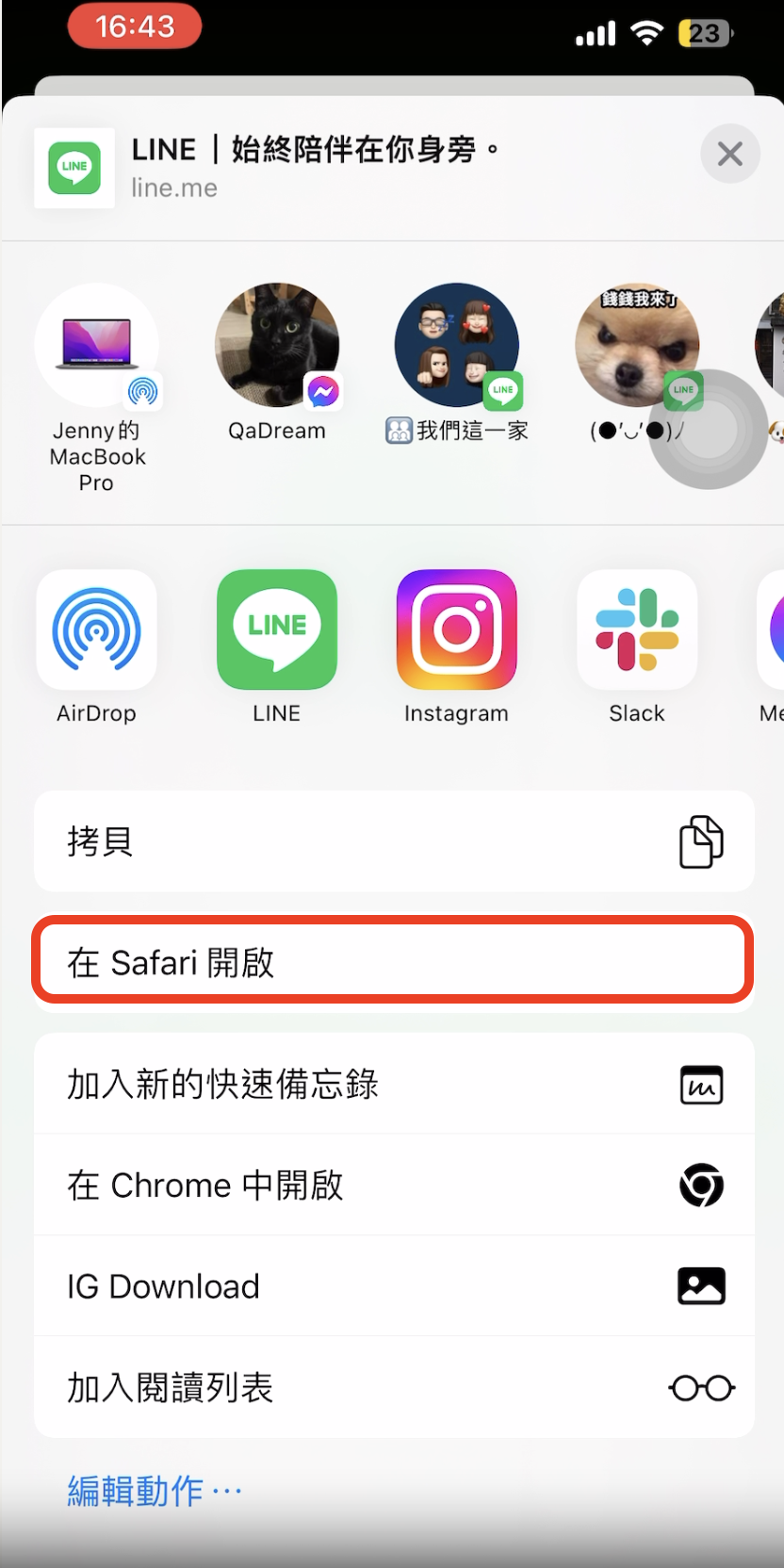
2. **由 Facebook 跳轉至 LINE 時**:
* Facebook 因官方 API 問題,因此暫時不開放於 Android 裝置使用
* 因 Facebook 平台無法正常跳轉至 LINE,須先另外操作由外部瀏覽器開啟才可執行跳轉,並完成整合
1. **活動圖片(選填):**
1. **圖片上傳建議:**
1. 寬度尺寸660px以上
2. 大小低於5MB
3. 來源渠道為Line時,活動圖片高度不可超過寬度的三倍
2. **各平台顯示比例如下:**
1. LINE、WhatsApp:依圖片原始比例顯示
2. FB、IG:因平台限制,長寬比例建議為 1:1,不符合比例的圖片將被置中裁切
2. **WhatsApp整合訊息(選填)**:此屬於WhatsApp目標渠道之專屬項目,其他渠道無此項。
3. **整合成功觸發動作:**
1. **來源渠道發(選填)**
1. 文字訊息
2. 機器人模組:僅能選擇與來源渠道平台相符的機器人(支援 「檢視預覽」、「編輯模組」)
2. **目標渠道(必填)**
1. 文字訊息
2. 機器人模組:僅能選擇與來源渠道平台相符的機器人(支援 「檢視預覽」、「編輯模組」)
4. **整合失敗訊息**
1. **來源渠道(選填)**
1. 文字訊息
2. 機器人模組:僅能選擇與來源渠道平台相符的機器人
2. **整合失敗可能原因:**
1. 渠道權限失效、渠道解串
2. 系統未預期錯誤
3. 整合活動被停用
4. 無法找到來源或目標渠道聯絡人
5. 欲整合的目標與來源渠道聯絡人為不同會員編號
6. LINE、Meta、WhatsApp API 回傳錯誤時
{% hint style="info" %}
注意:由於Facebook 24小時政策,訊息只能發送給24小時內有互動的客戶。
{% endhint %}
5. 整合成功貼標
1. **來源渠道(選填)**
2. **目標渠道(選填)**
{% hint style="info" %}
貼標後連動影響:觸發旅程、LINE 圖文選單切換
{% endhint %}
### 步驟 3 搭配機器人卡片使用活動設定:
若您需要將 OmniLink 活動搭配機器人卡片進行時,請在完成前面 2 個步驟後,再到自助設計機器人頁面,完成您的卡片設定!相關的設定說明細節,請參考以下頁面
{% content-ref url="/pages/g9FCRtmKMhy1Zyb9X3sA" %}
[OmniLink 卡片(加購功能)](/features/marketing/new-chatbot/omnilink-botcard.md)
{% endcontent-ref %}
### 補充說明、整合渠道特殊狀況
1. **若客戶於封鎖 LINE 狀態下點擊按鈕至 LINE 時**:
* 僅會顯示加入好友畫面
* 點擊加入好友後不會發送任何訊息、不會完成身份整合
2. **由 Facebook 跳轉至 LINE 時**:
* Facebook 因官方 API 問題,因此暫時不開放於 Android 裝置使用
* 因 Facebook 平台無法正常跳轉至 LINE,須先另外操作由外部瀏覽器開啟才可執行跳轉,並完成整合